A beautiful, feature-rich SSH workspace built with Electron, React, and xterm.js.
🔥 Built-in AI Agent · Split terminals · Vault views · SFTP workflows · Custom themes — all in one.
---
---
# 🔥 Catty Agent — Your IT Ops AI Partner
> 🚀 **Boost your IT ops daily work with AI power.** Catty Agent is the built-in AI assistant that understands your servers, executes commands, and handles complex multi-host operations — all through natural conversation.
### 🔥 What can Catty Agent do?
- 🚀 **Natural language server management** — just tell it what you need, no more memorizing commands
- 🔥 **Real-time server diagnostics** — check status, inspect logs, monitor resources through conversation
- 🚀 **Multi-host orchestration** — coordinate tasks across multiple servers simultaneously
- 🔥 **Intelligent context awareness** — understands your server environment and provides tailored responses
- 🚀 **One-click complex operations** — set up clusters, deploy services, and more with simple instructions
### 🎬 AI in Action
#### 🔥 Single Host — Intelligent Server Diagnostics
Ask Catty Agent to check a server's health, and it runs the right commands, analyzes the output, and gives you a clear summary — all in seconds.
https://github.com/user-attachments/assets/f819a1b6-8cba-4910-8017-97dfc080b477
#### 🚀 Multi-Host — Docker Swarm Cluster Setup
Watch Catty Agent orchestrate a Docker Swarm cluster across two servers in one conversation. It handles the init, token exchange, and node joining — you just tell it what you want.
https://github.com/user-attachments/assets/52fd30b8-9f02-43d4-a3b2-142691e8e3ec
---
# Contents
- [🔥 Catty Agent — AI Partner](#catty-agent)
- [What is Netcatty](#what-is-netcatty)
- [Why Netcatty](#why-netcatty)
- [Features](#features)
- [Demos](#demos)
- [Screenshots](#screenshots)
- [Main Window](#main-window)
- [Vault Views](#vault-views)
- [Split Terminals](#split-terminals)
- [Supported Distros](#supported-distros)
- [Getting Started](#getting-started)
- [Build & Package](#build--package)
- [Tech Stack](#tech-stack)
- [Contributing](#contributing)
- [Contributors](#contributors)
- [Star History](#star-history)
- [License](#license)
---
# What is Netcatty
**Netcatty** is a modern SSH client and terminal manager for macOS, Windows, and Linux, designed for developers, sysadmins, and DevOps engineers who need to manage multiple remote servers efficiently.
- **Netcatty is** an alternative to PuTTY, Termius, SecureCRT, and macOS Terminal.app for SSH connections
- **Netcatty is** a powerful SFTP client with dual-pane file browser
- **Netcatty is** a terminal workspace with split panes, tabs, and session management
- **Netcatty supports** SSH, local terminal, Telnet, Mosh, and Serial connections (when available)
- **Netcatty is not** a shell replacement — it connects to shells via SSH/Telnet/Mosh or local/serial sessions
---
# Why Netcatty
If you regularly work with a fleet of servers, Netcatty is built for speed and flow:
- **Workspace-first** — split panes + tabs + session restore for “always-on” workflows
- **Vault organization** — grid/list/tree views with fast search and drag-friendly workflows
- **Serious SFTP** — built-in editor + drag & drop + smooth file operations
---
# Features
### 🗂️ Vault
- **Multiple views** — grid / list / tree
- **Fast search** — locate hosts and groups quickly
### 🖥️ Terminal Workspaces
- **Split panes** — horizontal and vertical splits for multi-tasking
- **Session management** — run multiple connections side-by-side
### 📁 SFTP + Built-in Editor
- **File workflows** — drag & drop uploads/downloads
- **Edit in place** — built-in editor for quick changes
### 🎨 Personalization
- **Custom themes** — tune the app appearance to your taste
- **Keyword highlighting** — customize highlight rules for terminal output
---
# Demos
Video previews (stored in `screenshots/gifs/`), rendered inline on GitHub:
### Vault views: grid / list / tree
Switch between different Vault views to match your workflow: overview in grid, dense scanning in list, and hierarchical navigation in tree.
https://github.com/user-attachments/assets/1ff1f3f1-e5ae-40ea-b35a-0e5148c3afeb
### Split terminals + session management
Work in multiple sessions at once with split panes. Keep related tasks side-by-side and reduce context switching.
https://github.com/user-attachments/assets/9c24b519-4b4b-4910-a22a-590d04c9af31
### SFTP: drag & drop + built-in editor
Move files with drag & drop, then edit quickly using the built-in editor without leaving the app.
https://github.com/user-attachments/assets/f3afdb36-399d-4330-b9f3-4678f178f6db
### Drag file upload
Drop files into the app to kick off uploads without hunting through dialogs.
https://github.com/user-attachments/assets/e1e26f7a-3489-41cc-975e-8dccba56ea85
### Custom themes
Make Netcatty yours: customize themes and UI appearance.
https://github.com/user-attachments/assets/1a6049aa-9a4c-4d52-a13d-0b007a791b00
### Keyword highlighting
Highlight important terminal output so errors, warnings, and key events stand out at a glance.
https://github.com/user-attachments/assets/1a1db7bd-948b-4f3c-97cd-8fd0cbe7cce7
---
# Screenshots
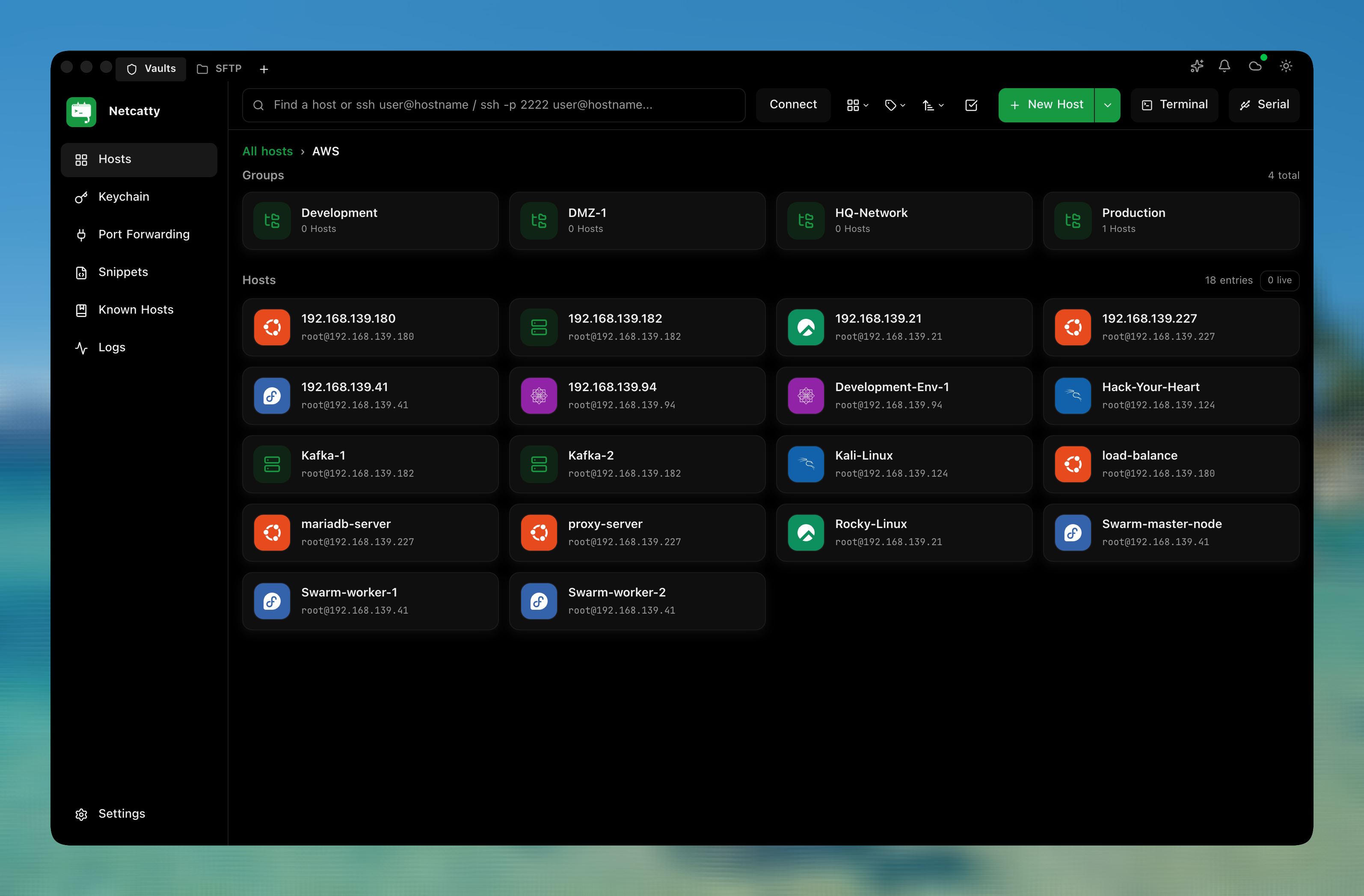
## Main Window
The main window is designed for long-running SSH workflows: quick access to sessions, navigation, and core tools in one place.

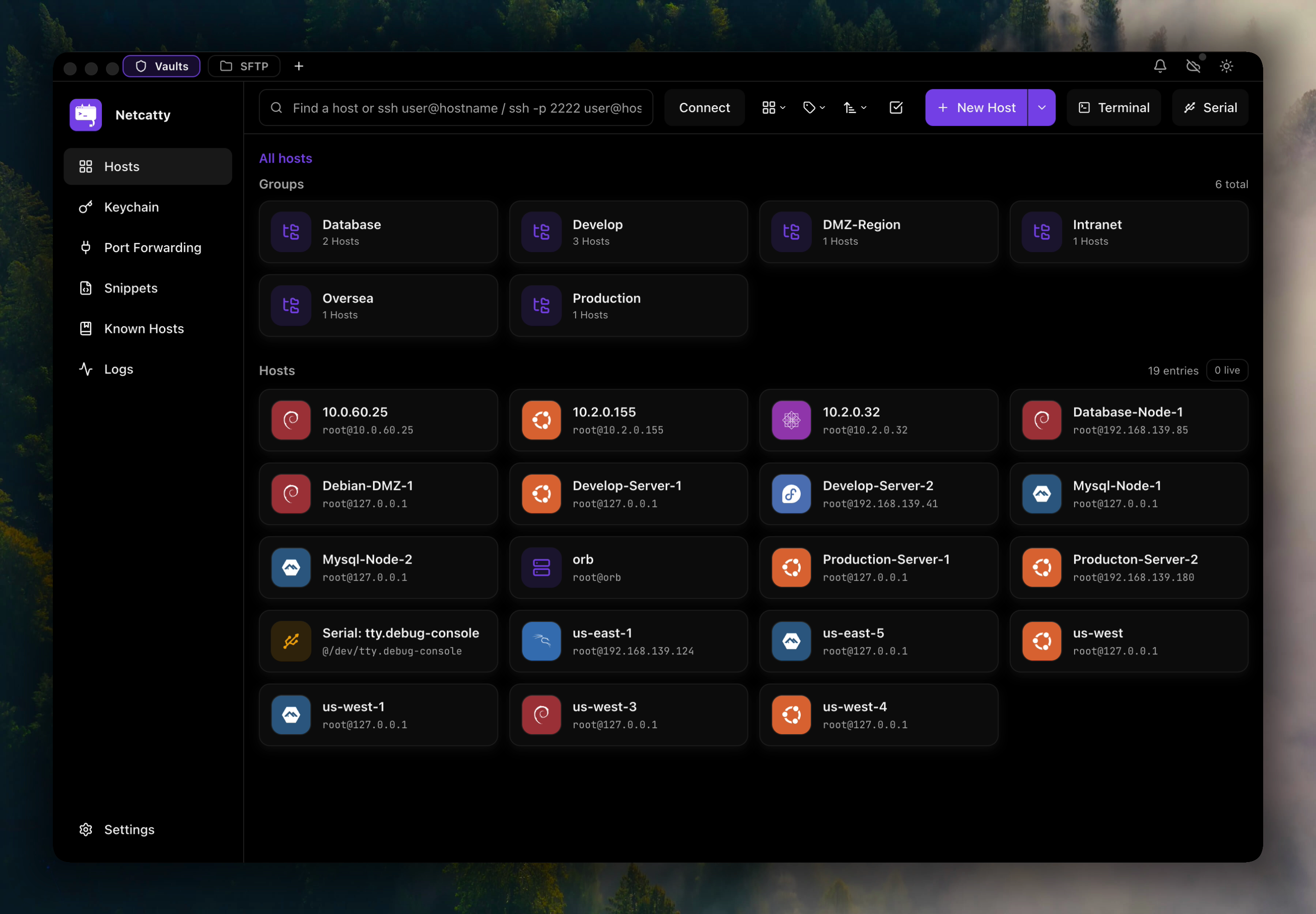
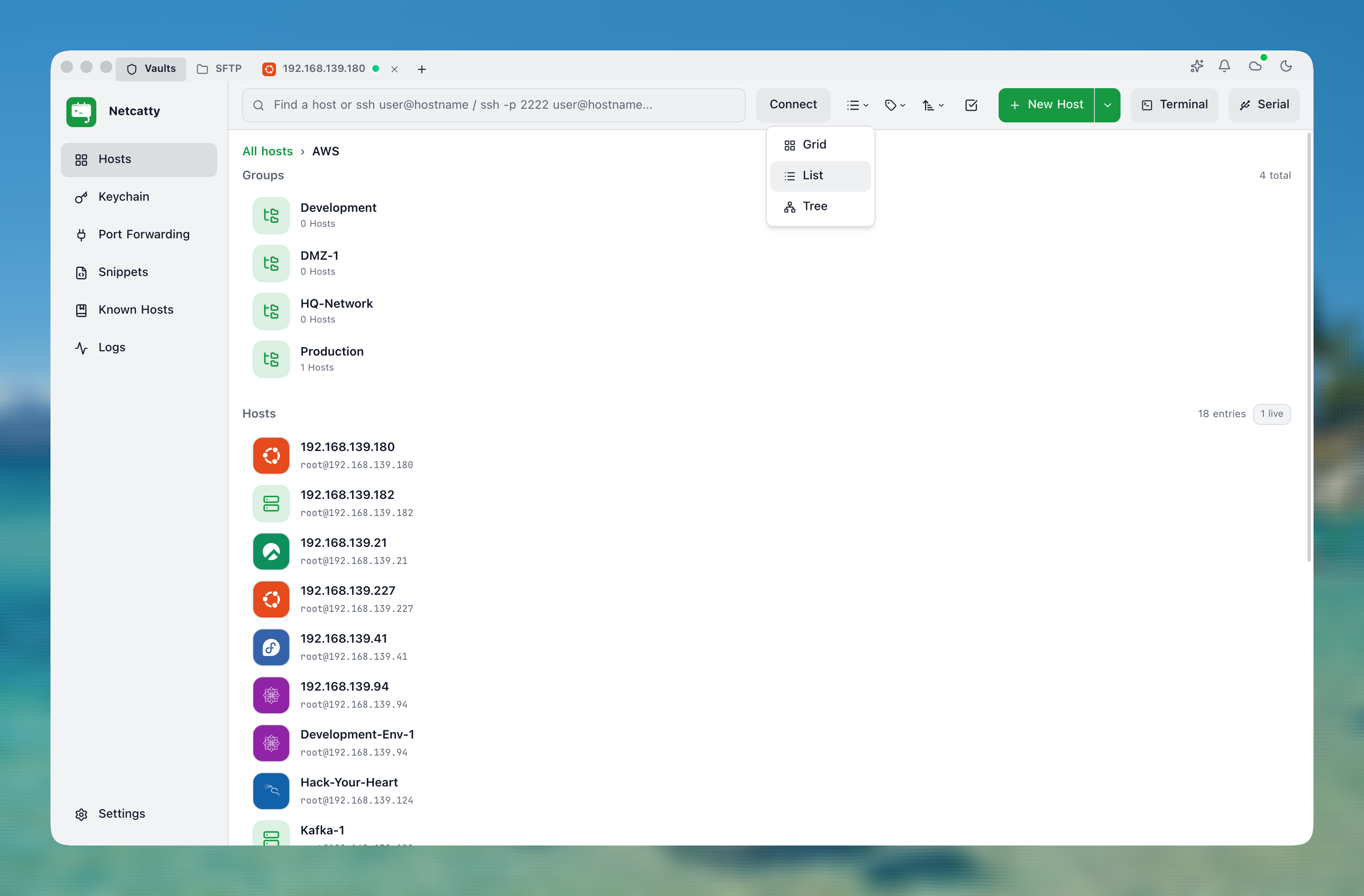
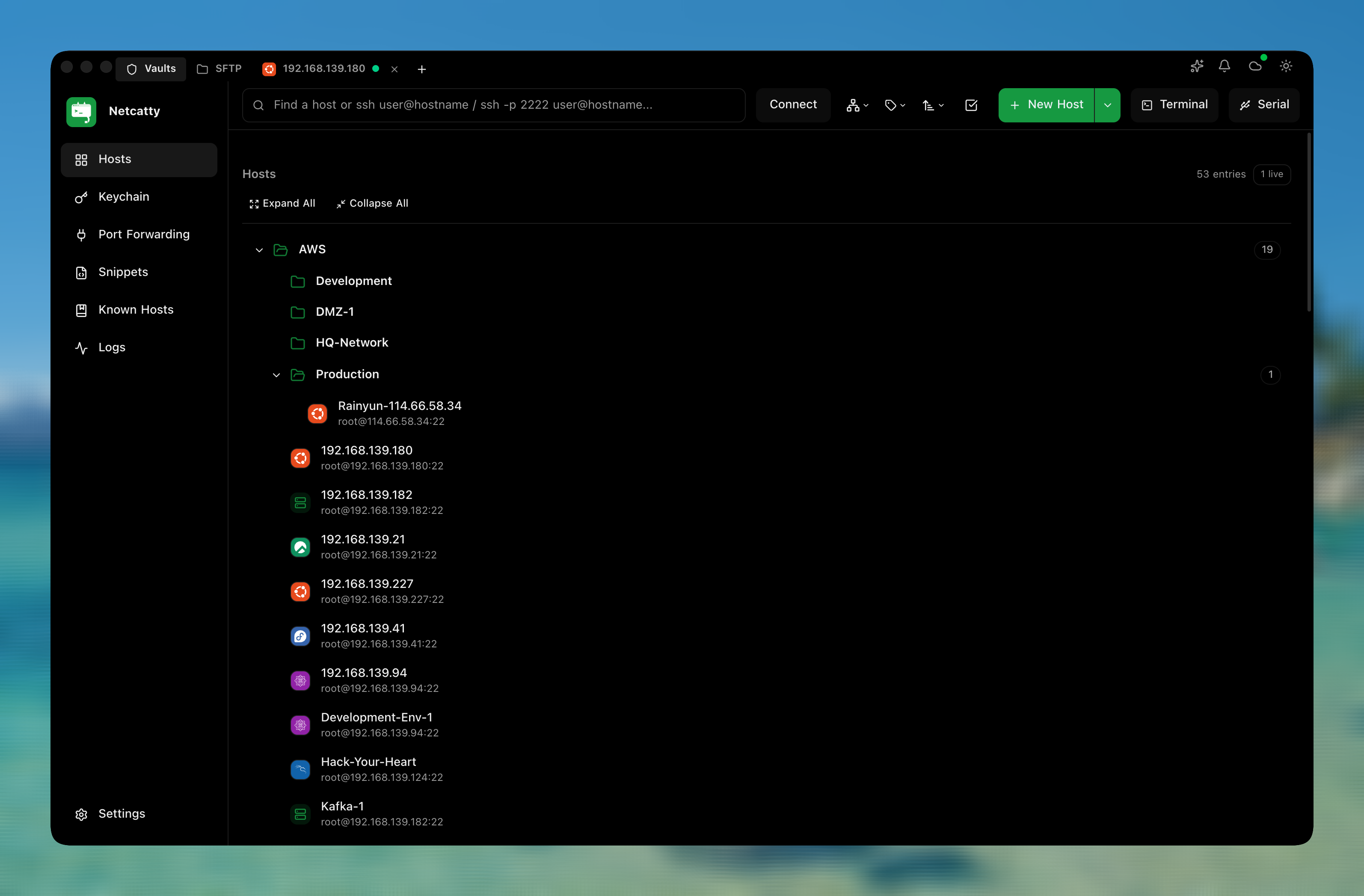
## Vault Views
Organize and navigate your hosts using the view that best fits the moment: grid for overview, list for scanning, tree for structure.

## Split Terminals
Split panes help you monitor multiple servers/services at the same time (deploy + logs + metrics) without juggling windows.

---
# Supported Distros
Netcatty automatically detects and displays OS icons for connected hosts:
# Getting Started
### Download
Download the latest release for your platform from [GitHub Releases](https://github.com/binaricat/Netcatty/releases/latest).
| OS | Support |
| :--- | :--- |
| **macOS** | Universal (x64 / arm64) |
| **Windows** | x64 / arm64 |
| **Linux** | x64 / arm64 |
Or browse all releases at [GitHub Releases](https://github.com/binaricat/Netcatty/releases).
> **macOS Users:** Current releases are expected to be code-signed and notarized. If Gatekeeper still warns, make sure you downloaded the latest official build from GitHub Releases.
### Prerequisites
- Node.js 18+ and npm
- macOS, Windows 10+, or Linux
### Development
```bash
# Clone the repository
git clone https://github.com/binaricat/Netcatty.git
cd Netcatty
# Install dependencies
npm install
# Start development mode (Vite + Electron)
npm run dev
```
### Project Structure
```
├── App.tsx # Main React application
├── components/ # React components
│ ├── Terminal.tsx # Terminal component
│ ├── SftpView.tsx # SFTP browser
│ ├── VaultView.tsx # Host management
│ ├── KeyManager.tsx # SSH key management
│ └── ...
├── application/ # State management & i18n
├── domain/ # Domain models & logic
├── infrastructure/ # Services & adapters
├── electron/ # Electron main process
│ ├── main.cjs # Main entry
│ └── bridges/ # IPC bridges
└── public/ # Static assets & icons
```
---
# Build & Package
```bash
# Build for production
npm run build
# Package for current platform
npm run pack
# Package for specific platforms
npm run pack:mac # macOS (DMG + ZIP)
npm run pack:win # Windows (NSIS installer)
npm run pack:linux # Linux (AppImage + DEB + RPM)
```
---
# Tech Stack
| Category | Technology |
|----------|------------|
| Framework | Electron 40 |
| Frontend | React 19, TypeScript |
| Build Tool | Vite 7 |
| Terminal | xterm.js 5 |
| Styling | Tailwind CSS 4 |
| SSH/SFTP | ssh2, ssh2-sftp-client |
| PTY | node-pty |
| Icons | Lucide React |
---
# Contributing
Contributions are welcome! Please feel free to submit a Pull Request.
1. Fork the repository
2. Create your feature branch (`git checkout -b feature/amazing-feature`)
3. Commit your changes (`git commit -m 'Add some amazing feature'`)
4. Push to the branch (`git push origin feature/amazing-feature`)
5. Open a Pull Request
See [agents.md](agents.md) for architecture overview and coding conventions.
---
# Contributors
Thanks to all the people who contribute!
---
# License
This project is licensed under the **GPL-3.0 License** - see the [LICENSE](LICENSE) file for details.
---
# Star History
---